Never miss a bill again.
Billcalm finds the bills in your mailbox, shows what's due, and lets you pay each one by scanning a code with your banking app.
A Mac app. Coming soon.
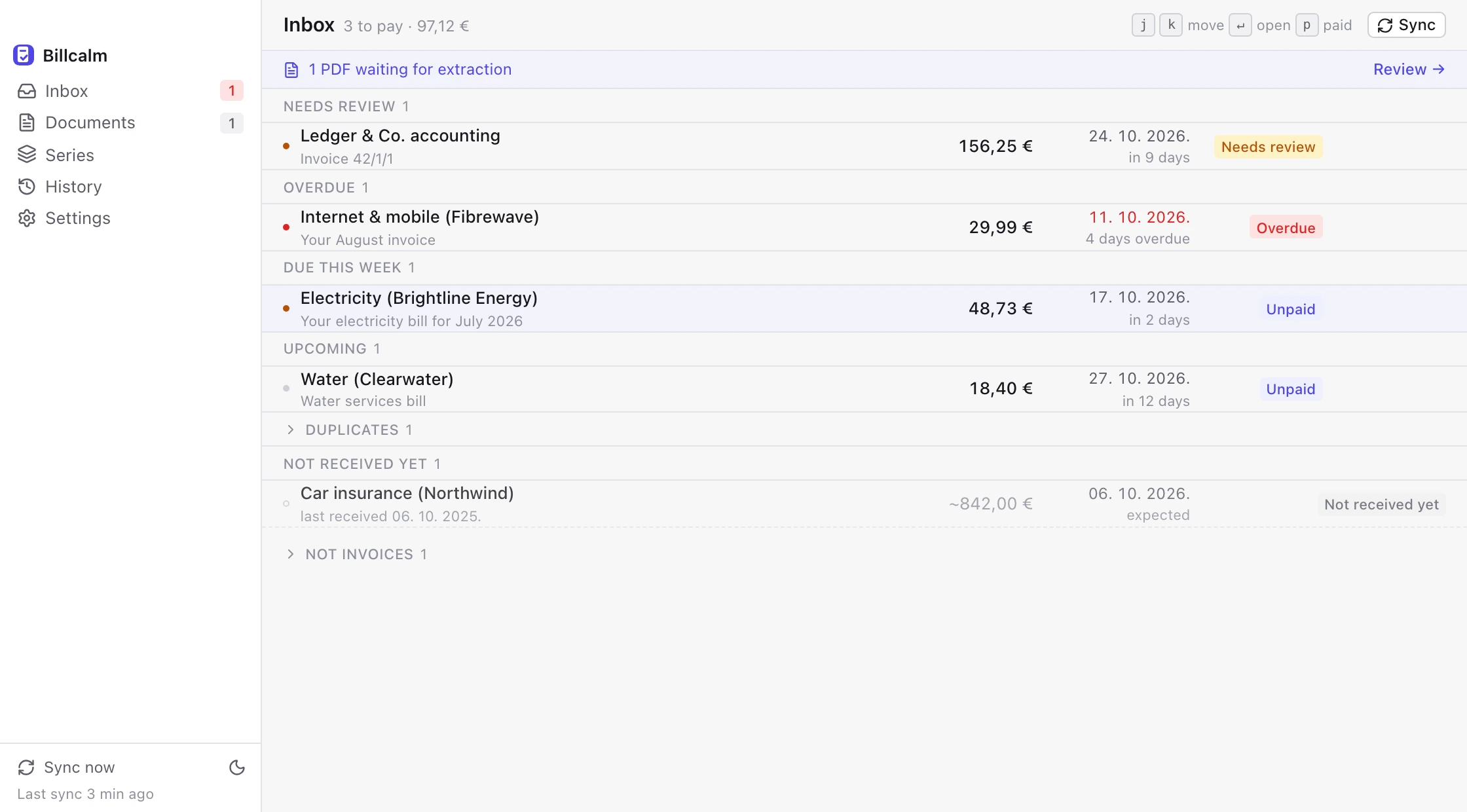
How it works



Real screenshots of Billcalm, with demo data.
See it in 20 seconds
Every PDF in one place
Billcalm keeps each bill it finds together with the e-mail it came from. Bank statements and other PDFs that aren't bills can be skipped, so only what you want gets read.

Real screenshot, with demo data.
Where your bills go
Everything happens between your mailbox, your Mac and the AI you pick.
- Billcalmthe app
- Your billsPDFs and the list
- On your MacA local model such as Ollama or LM Studio. Your bills never leave your Mac.
- In the cloudOpenRouter, Gemini, OpenAI or Anthropic. Each bill goes to the one you pick.
Billcalm's servers don't exist.
Billcalm runs on your Mac and nowhere else. We have no servers and no accounts, so we never see your bills.
Your AI, your choice
Billcalm needs one AI to read your bills. Pick the kind that suits you.
| In the cloud | On your Mac | |
|---|---|---|
| Privacy | Bills go to the provider you pick | Your bills never leave your Mac |
| Setup | Paste an API key | Install Ollama or LM Studio |
| Cost | Paid to the provider, per use | Free |
| You need | An internet connection | A Mac with enough memory |
| Works with | OpenRouter, Google Gemini, OpenAI, Anthropic | Ollama, LM Studio |
Pay once
One-time purchase, no subscription. You'll get the price in our one e-mail at launch.
- One-time purchase
- No subscription
- No account
Questions
Which computers does it run on?
Macs, for now. Windows comes later.
Which e-mail works?
Gmail, iCloud, Fastmail, Google Workspace, and your own domain if your provider allows app passwords (not Microsoft 365 yet). Outlook.com, Hotmail and Microsoft 365: coming soon.
Do I need an AI subscription?
You need an API key from an AI provider (for example OpenRouter or Google Gemini) or a model running on your Mac. A ChatGPT or Claude subscription is not the same thing as an API key.
What's an app password?
A separate password your mail provider gives you just for apps like Billcalm, so you never share your real one. We'll show you step by step.
How do I pay a bill?
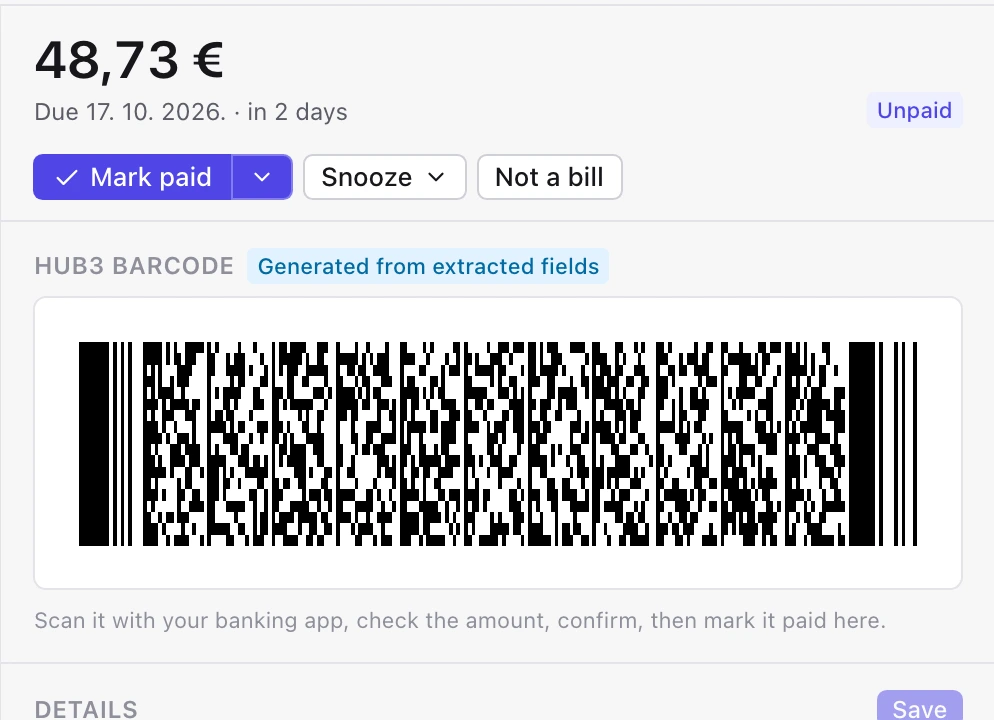
Billcalm shows the payment code: the HUB3 barcode for Croatian bills and the EU SEPA QR code elsewhere in the SEPA area. Scan it with your banking app. If neither applies, you get the payee details to copy.