Questions and answers
Billcalm is a Mac app that finds the bills in your e-mail, reads them with the AI you choose, and lets you pay by scanning a payment code with your banking app. The app has no servers and no account: we never see your bills. It is not released yet; you can join the waitlist on the home page.
What is Billcalm?
Billcalm is a Mac app that finds the bills in your e-mail, reads them with the AI you choose, and lets you pay by scanning a payment code with your banking app. The app has no servers and no account: we never see your bills.
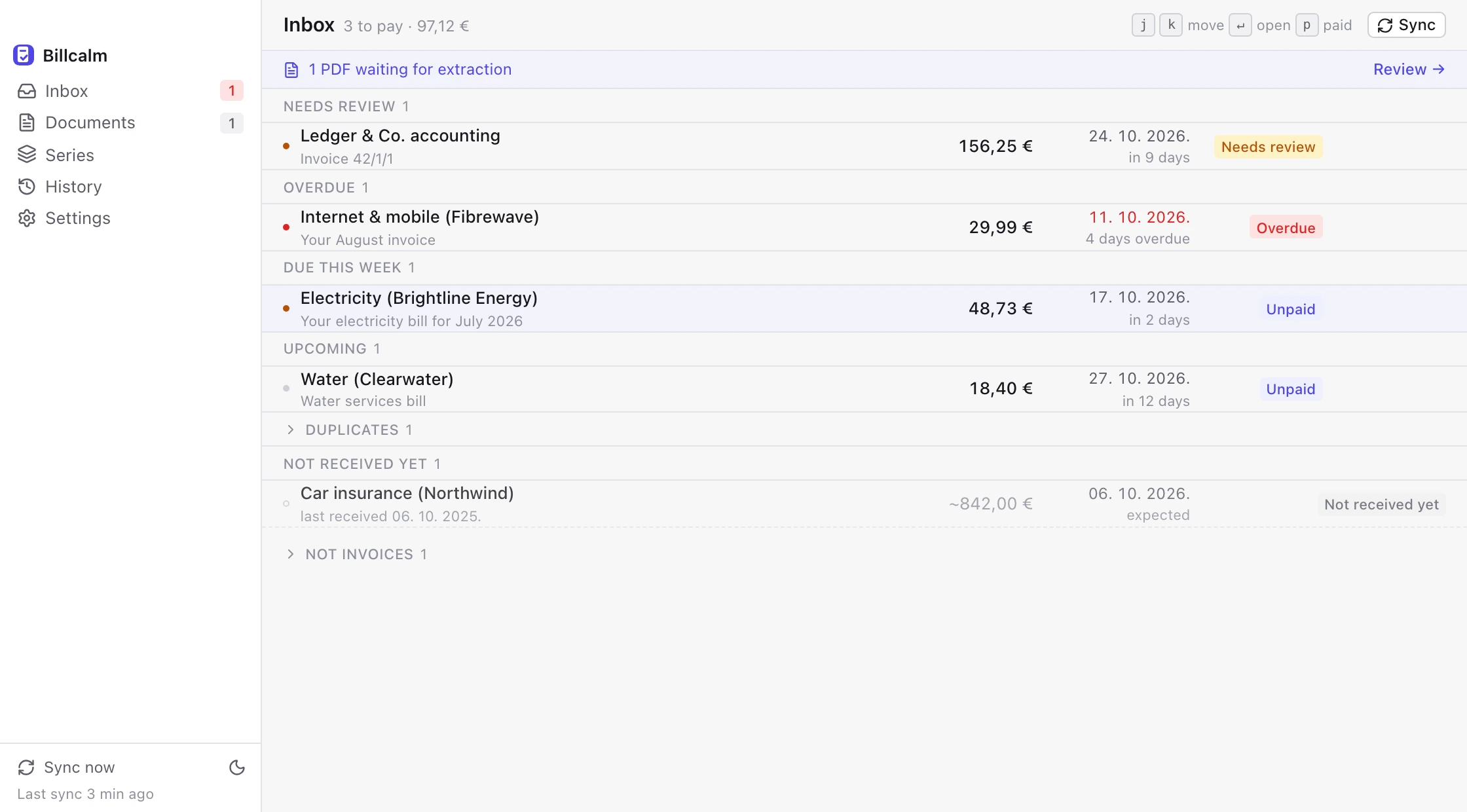
It sits in the menubar, checks your mailbox every few minutes, and lines up every bill it finds with the amount, the due date and who to pay. When a bill is due you get a notification; open it, scan the code with your phone's banking app, and mark it paid.
It is made by Trupac Solutions, a one-person company in Croatia, and sold as a one-time purchase.
How does Billcalm find the bills in my e-mail?
It reads your mailbox over IMAP with an app password, read-only, and downloads PDF attachments only. It never sends, deletes or marks mail as read.
You connect one mailbox during setup. Billcalm looks at new mail every few minutes and downloads the PDF attachments it finds. On the Documents screen you can skip the ones that aren't bills, such as bank statements, before they are read. If your AI reads a PDF and decides it is not a bill, Billcalm sets it aside; you can restore it.
An app password is a separate password your mail provider gives you just for apps like Billcalm, so you never type your real one into the app. The setup walks you through creating one.

Does Billcalm pay my bills for me?
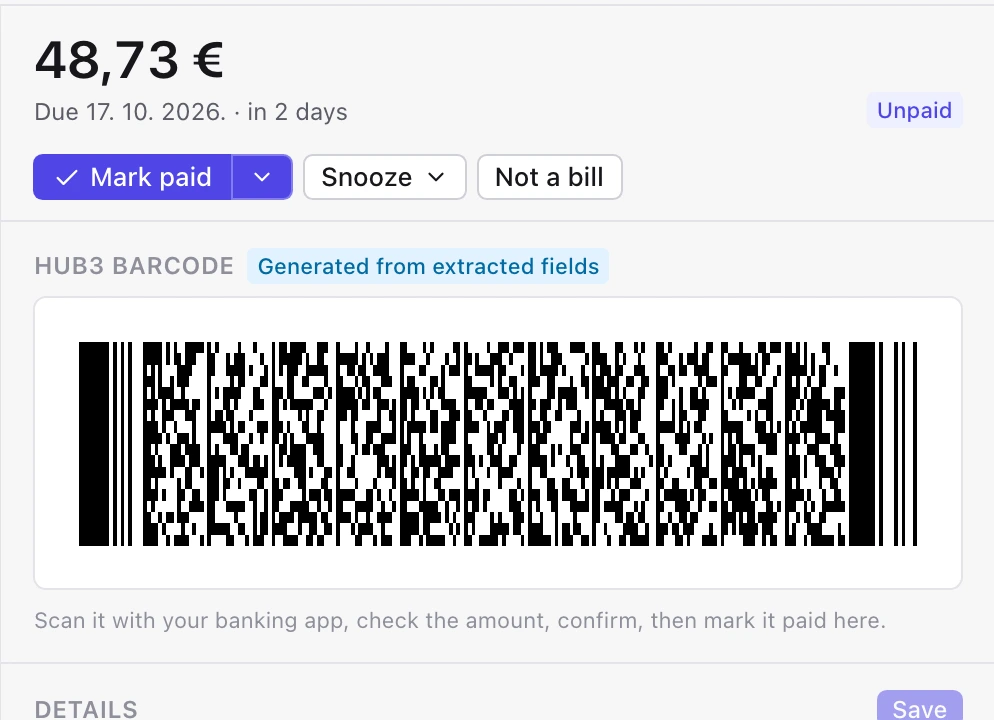
No. Billcalm never touches your money and never connects to a bank. It shows the payment code; you scan it with your banking app and pay there, then mark the bill paid.
That is deliberate: paying stays inside the banking app you already trust, with its own confirmation. Billcalm only removes the typing: the amount, the account number and the reference come from the bill, so you check them and confirm.
Where do my bills go, and who can see them?
Your bills go to your Mac and to the AI you chose, nowhere else. We have no servers and no account, so we never see your bills.
If you pick a cloud AI (OpenRouter, Google Gemini, OpenAI or Anthropic), that provider sees the bills it reads, under its own terms. If you run a local model on your Mac (Ollama or LM Studio), your bills never leave your Mac.
Your mailbox password is stored in the macOS keychain and is used only to sign in to your mail provider; we never see it.
Which AI do I need, and what does it cost?
You need an API key from OpenRouter, Google Gemini, OpenAI or Anthropic, or a local model running on your Mac. You pay the AI provider per use; a local model costs nothing.
A ChatGPT or Claude subscription is not an API key; the key is a separate pay-as-you-go thing you create on the provider's website.
A bill is one or two pages of text, so each read is a small amount; check the provider's published prices for the model you pick. With a local model there is nothing to pay, but reading is slower and needs a Mac with enough memory.
Which countries' payment codes work?
At launch Billcalm shows the HUB3 barcode for Croatian bills and the EPC/SEPA QR code for bills in other SEPA countries. If a bill has neither, you get the payee details to copy.
Both codes carry the payee, the amount and the reference, so the banking app fills in the payment for you. Which code your bank scans depends on the bank; most Croatian banking apps scan the HUB3 2D barcode, and many European ones scan the EPC QR code (also called GiroCode).
Does it work with Gmail, iCloud, Fastmail, Google Workspace, Outlook or Microsoft 365?
Gmail, iCloud, Fastmail, Google Workspace and your own domain work, as long as the provider allows app passwords and the domain is not hosted by Microsoft 365. Outlook.com, Hotmail and Microsoft 365 come later.
Google Workspace accounts work when the organisation allows app passwords; some administrators turn them off. Your own domain works when the provider offers IMAP with an app password; Billcalm finds the server settings from the domain, or asks for them. Domains hosted on Microsoft 365 come later, together with Outlook.com and Hotmail.
One mailbox at launch.

Is Billcalm a subscription?
No. Billcalm is a one-time purchase with no account. The price is announced at launch.
Your own AI provider may charge you per use (see above); Billcalm itself does not.